
graf
ESP32 개발 환경 구축 본문
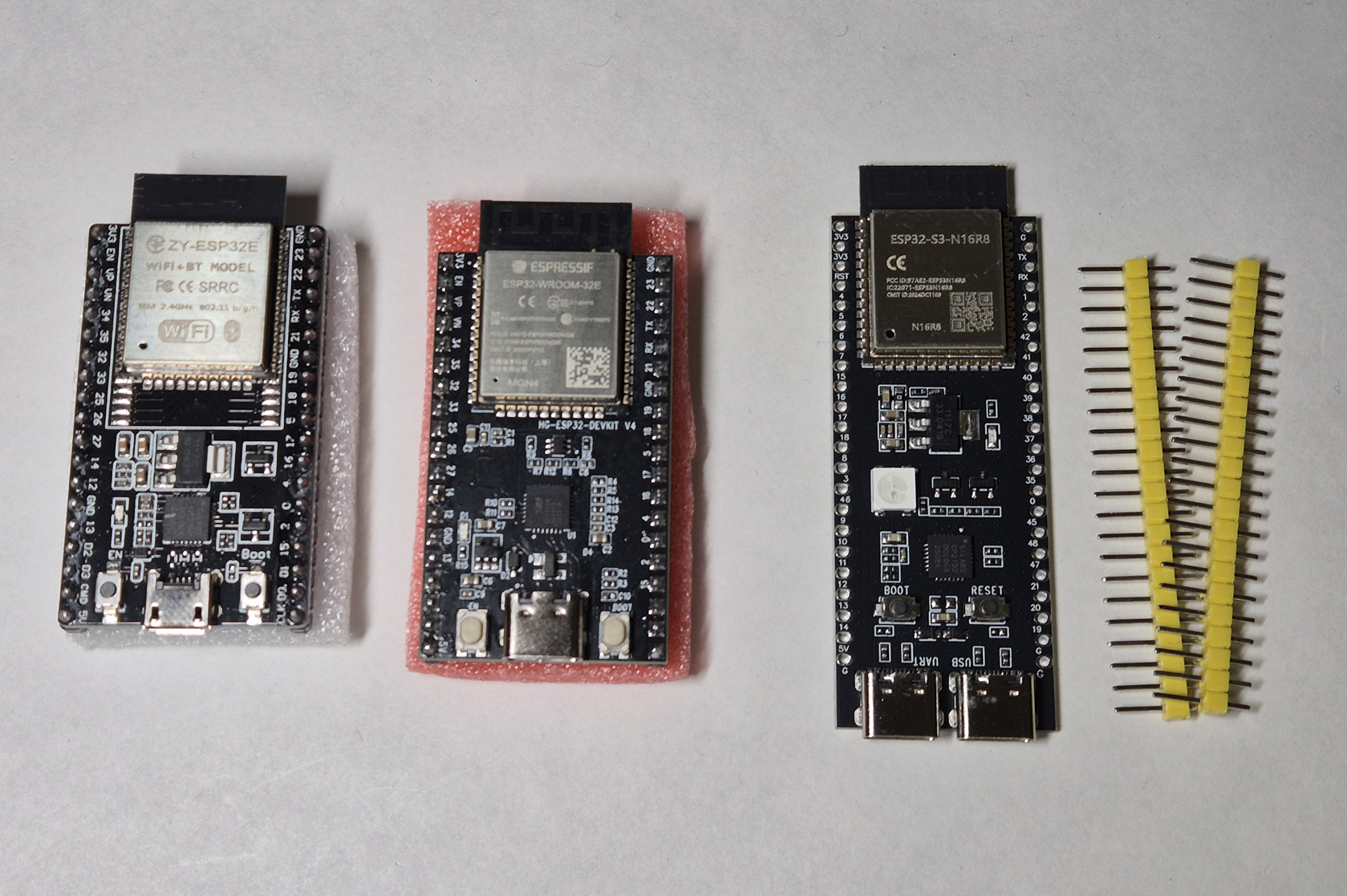
모듈이 전부 왔다.
만원도 안하는 저렴한 것도 있길래 여분으로 여러개를 샀다.
오른쪽에 저건 핀 납땜부터 해야겠다.
1. EPS-IDF 설치
https://docs.espressif.com/projects/esp-idf/en/v6.0.1/esp32s3/get-started/index.html
Get Started - ESP32-S3 - — ESP-IDF Programming Guide v6.0.1 documentation
It allows you to develop, build, flash, and monitor ESP-IDF applications directly within the Visual Studio Code.
docs.espressif.com
espressif에서 올린 공식 가이드가 있다.
https://dl.espressif.com/dl/eim/
ESP-IDF Installation Manager Downloads
Online Installer Offline Installer Offline Builder Tools ⚠️ Warning: Offline installer files are large (3-4GB). Due to browser memory limitations, you will receive separate installer and archive files to use together. No Offline Installers Available Of
dl.espressif.com

윈도우용 파일 다운로드

설치 경로 설정이 안돼서 Custom으로 진행했다.
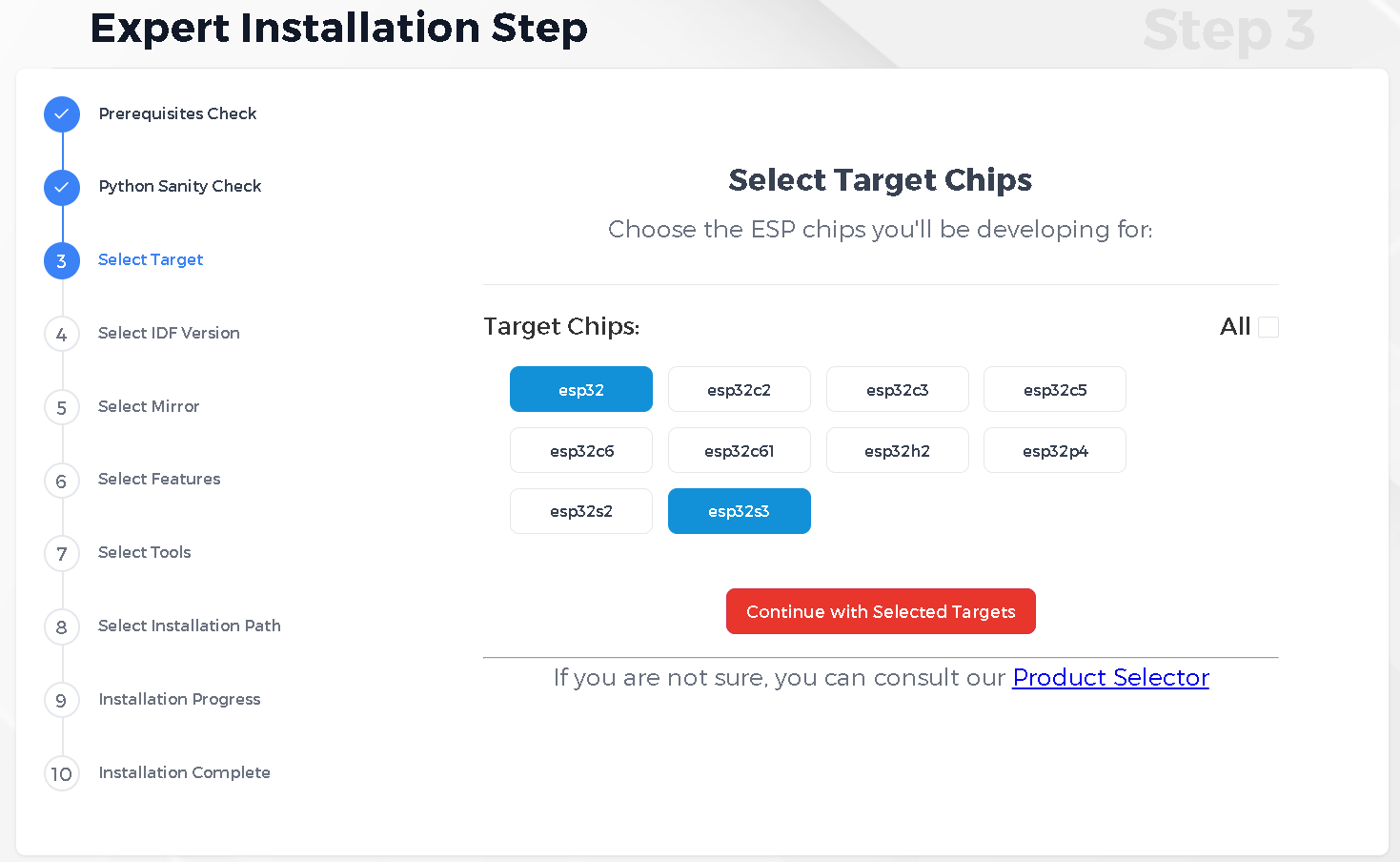
타겟 칩 선택
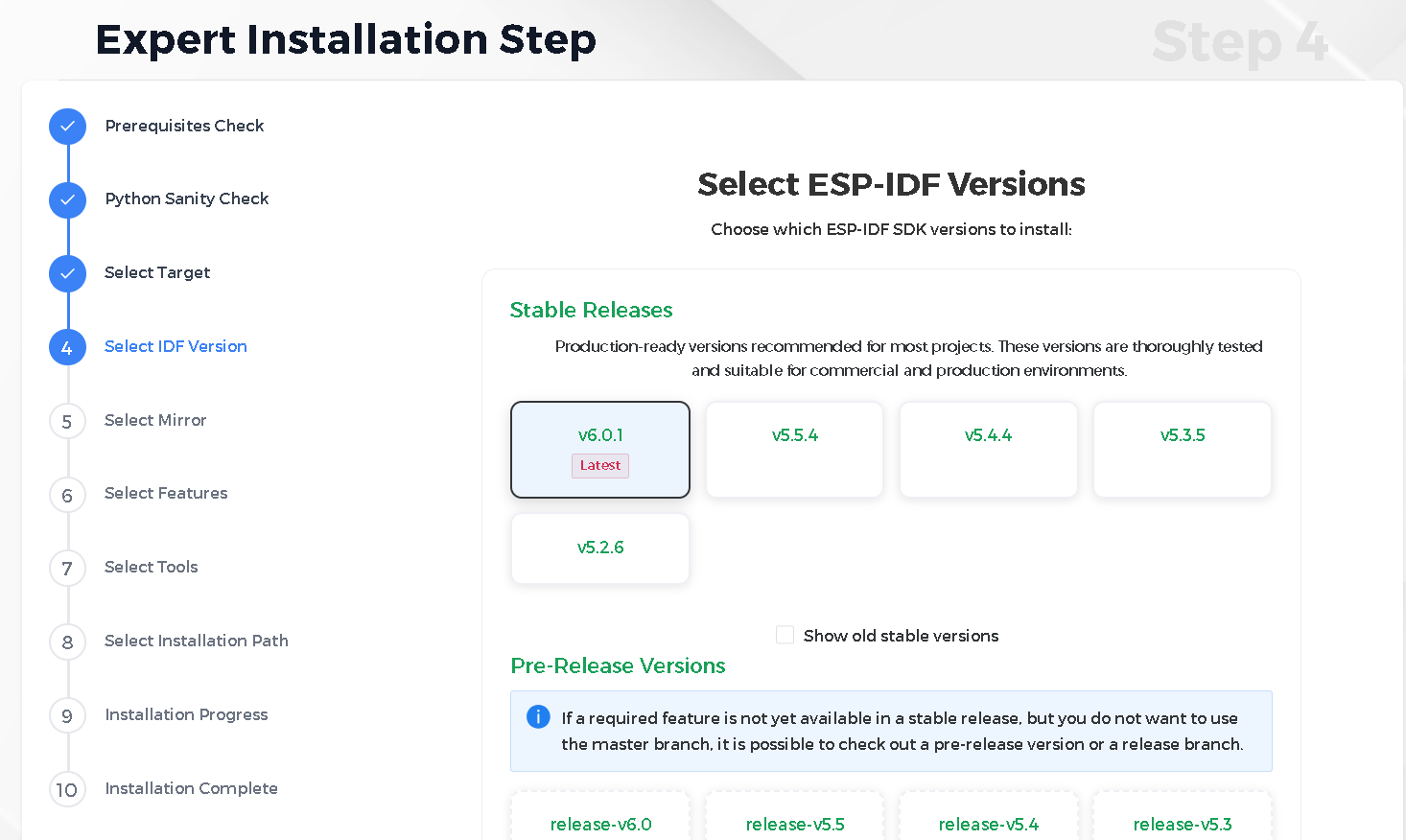
stable에서 최신 버전으로 진행
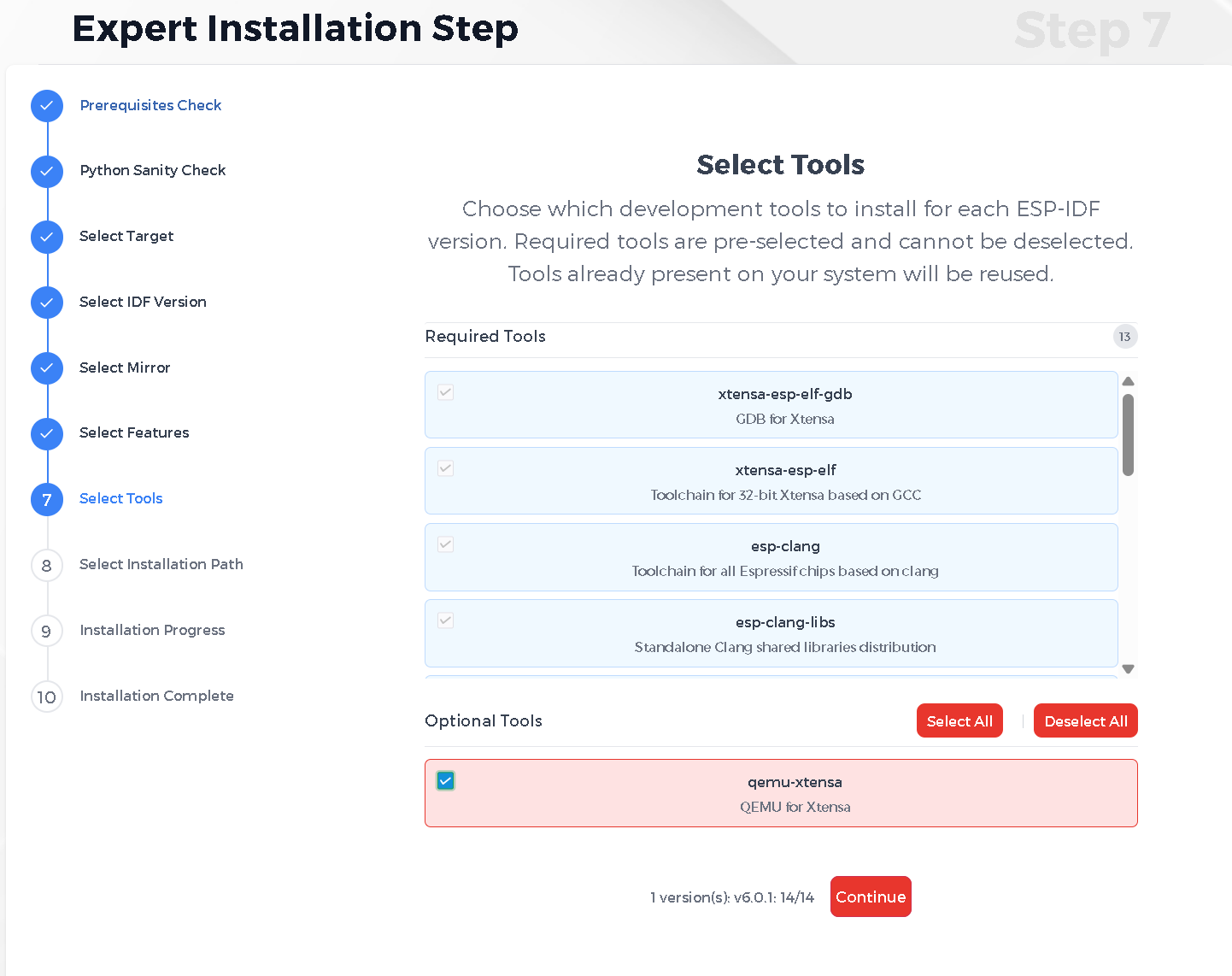
tools는 다 선택했다.
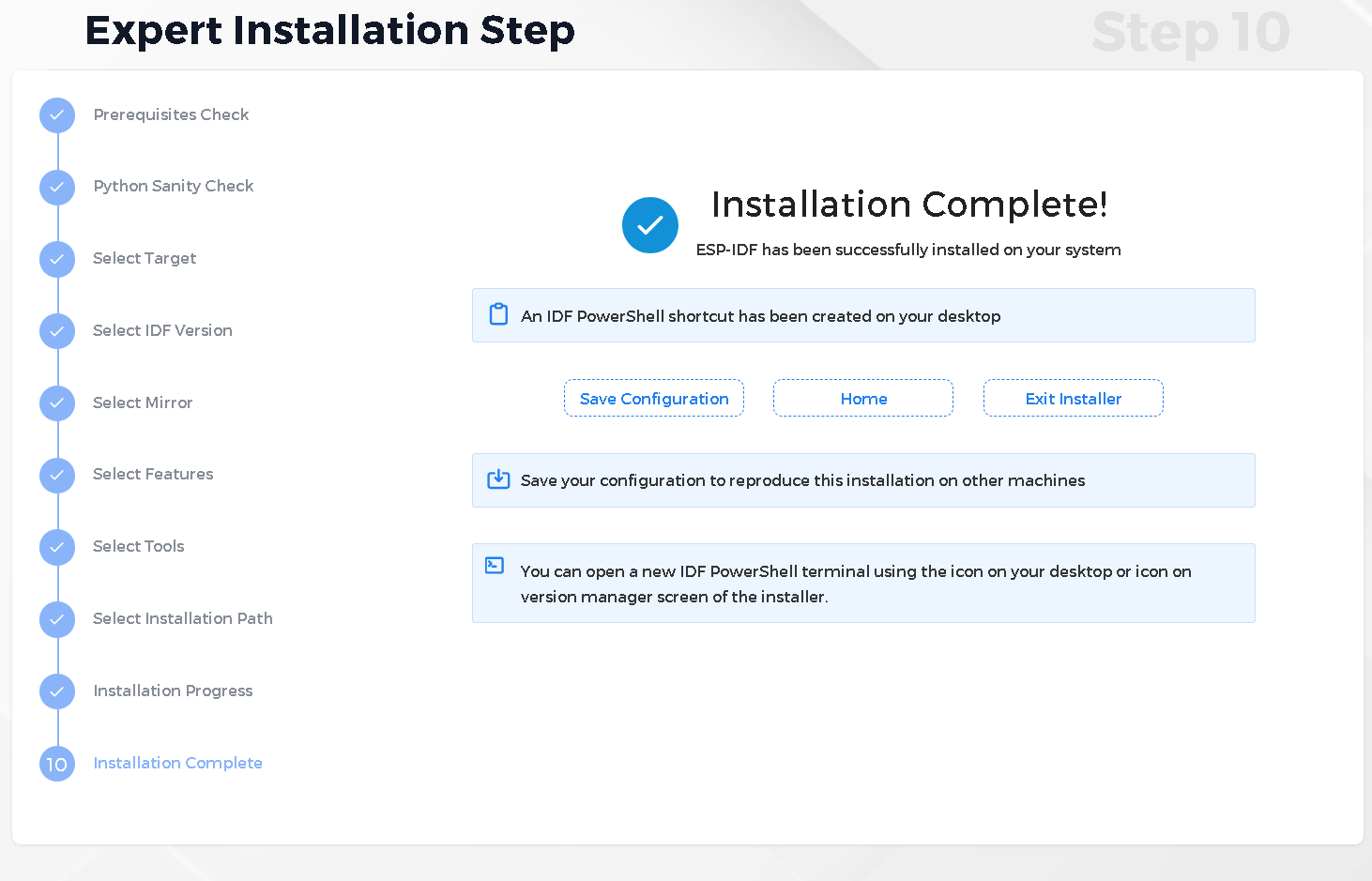
나머지는 전부 기본 설정으로 진행했다.

설치가 끝났다.
2. 드라이버 설치
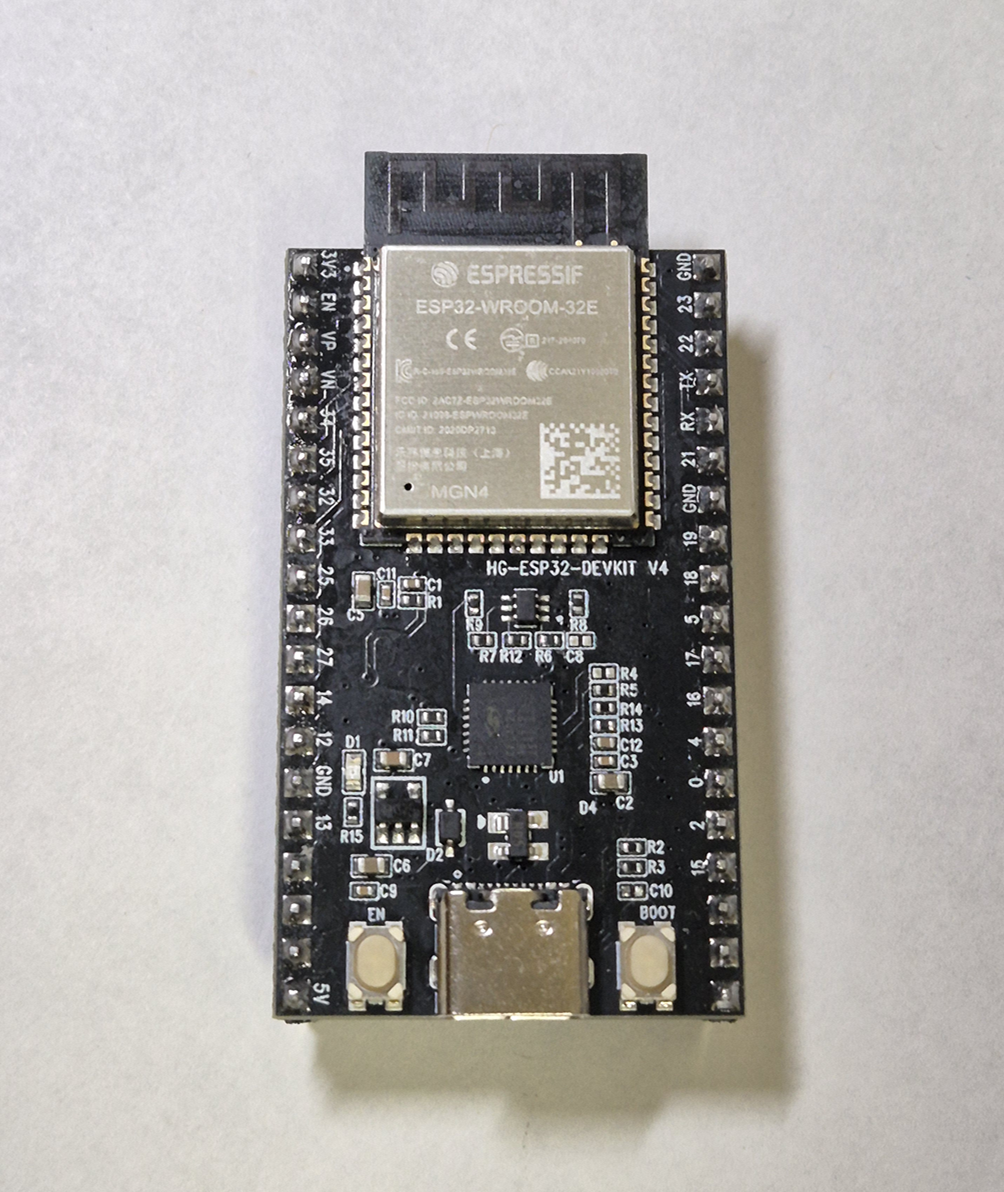
이게 제일 무난해보인다.
먼저 이거로 진행해보자.
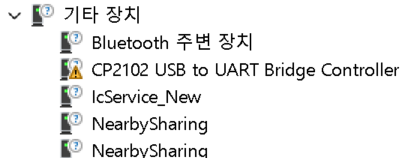
모듈을 연결했는데 인식이 제대로 안되고 있다.
CP2102 드라이버를 찾아보자.
https://www.silabs.com/software-and-tools/usb-to-uart-bridge-vcp-drivers?tab=downloads
CP210x USB to UART Bridge VCP Drivers - Silicon Labs
The CP210x USB to UART Bridge Virtual COM Port (VCP) drivers are required for device operation as a Virtual COM Port to facilitate host communication with CP210x products. These devices can also interface to a host using the direct access driver.
www.silabs.com
자료는 금방 나왔다.

Universal Window Driver 다운로드

다운로드한 드라이버를 추가했다.

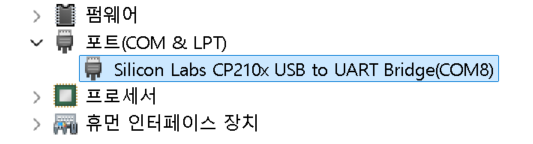
이제 인식이 된다.
3. 테스트 코드 업로드
/*
 * SPDX-FileCopyrightText: 2010-2022 Espressif Systems (Shanghai) CO LTD
 *
 * SPDX-License-Identifier: CC0-1.0
 */

#include <stdio.h>
#include <inttypes.h>
#include "sdkconfig.h"
#include "freertos/FreeRTOS.h"
#include "freertos/task.h"
#include "esp_chip_info.h"
#include "esp_flash.h"
#include "esp_system.h"

void app_main(void)
{
    printf("Hello world!\n");

    /* Print chip information */
    esp_chip_info_t chip_info;
    uint32_t flash_size;
    esp_chip_info(&chip_info);
    printf("This is %s chip with %d CPU core(s), %s%s%s%s, ",
           CONFIG_IDF_TARGET,
           chip_info.cores,
           (chip_info.features & CHIP_FEATURE_WIFI_BGN) ? "WiFi/" : "",
           (chip_info.features & CHIP_FEATURE_BT) ? "BT" : "",
           (chip_info.features & CHIP_FEATURE_BLE) ? "BLE" : "",
           (chip_info.features & CHIP_FEATURE_IEEE802154) ? ", 802.15.4 (Zigbee/Thread)" : "");

    unsigned major_rev = chip_info.revision / 100;
    unsigned minor_rev = chip_info.revision % 100;
    printf("silicon revision v%d.%d, ", major_rev, minor_rev);
    if(esp_flash_get_size(NULL, &flash_size) != ESP_OK) {
        printf("Get flash size failed");
        return;
    }

    printf("%" PRIu32 "MB %s flash\n", flash_size / (uint32_t)(1024 * 1024),
           (chip_info.features & CHIP_FEATURE_EMB_FLASH) ? "embedded" : "external");

    printf("Minimum free heap size: %" PRIu32 " bytes\n", esp_get_minimum_free_heap_size());

    for (int i = 10; i >= 0; i--) {
        printf("Restarting in %d seconds...\n", i);
        vTaskDelay(1000 / portTICK_PERIOD_MS);
    }
    printf("Restarting now.\n");
    fflush(stdout);
    esp_restart();
}
ESP-IDF에서 제공되는 테스트 코드다.
cd examples/get-started/hello_world
idf.py build
idf.py flash
빌드 후 업로드해봤다.
idf.py monitor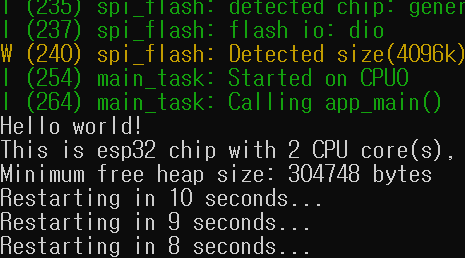
10초마다 Hello World!가 출력된다.
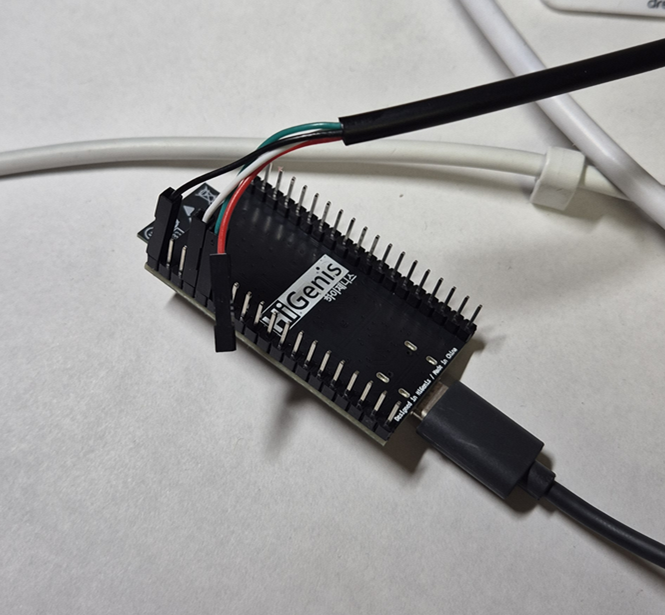
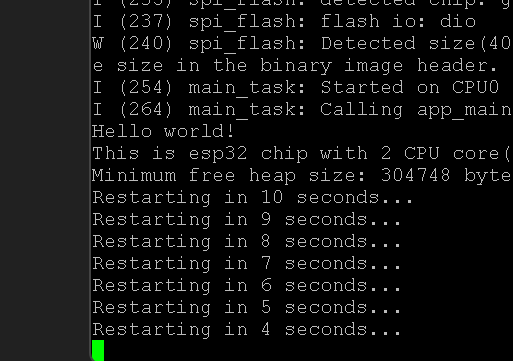
uart를 직접 연결해도 확인할 수 있다.
보드레이트는 115200이다.
'ChipWhisperer > SecureBoot bypass' 카테고리의 다른 글
| ESP32 글리칭 파라미터 찾기 (0) | 2026.05.05 |
|---|---|
| 펌웨어 수정 및 업로드 (0) | 2026.05.02 |
| secure boot bypass 개요 (0) | 2026.04.27 |


